Learn Quotiqa
Practical guides for quoting from PDF plans.
Learn the full workflow Quotiqa is built around: PDF takeoff, BOQ rows, pricing review, subcontractor packages, and client-ready quote output.
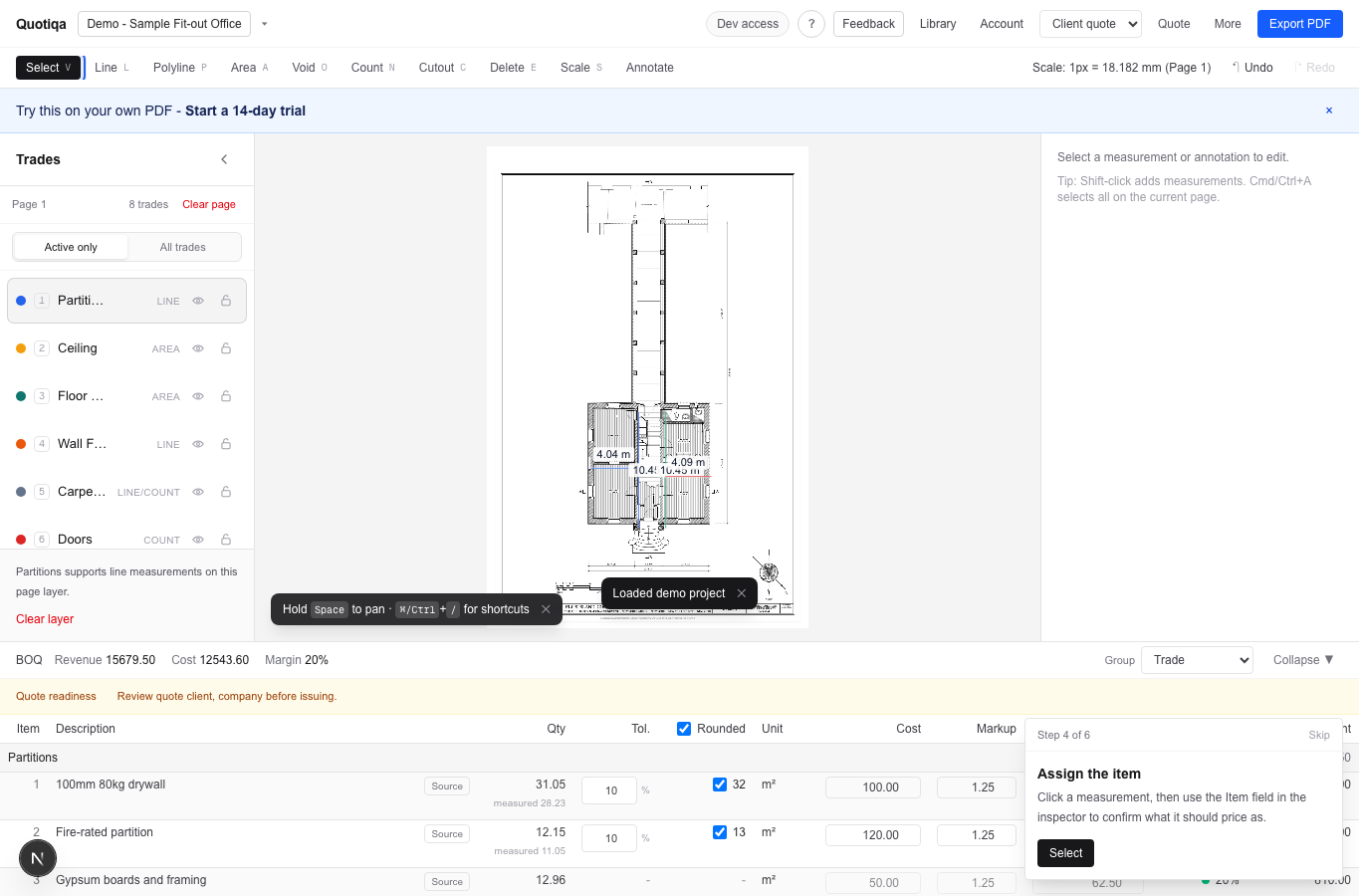
Start here
Follow the plan-to-quote journey.
01 / PDF plan
Plan loaded
Start from the tender plan.
From plan to quote
Start from the tender plan.
Upload the plan PDF and keep the estimator working on the drawing, not in a separate spreadsheet.
- Input
- PDF floor plan
- Project data
- Local browser storage
- Next action
- Set scale
Resource hub
Guides grouped by the questions estimators ask.
PDF takeoff
How PDF takeoff becomes a quote
Start from the plan, calibrate scale, measure scope, assign items, price quote items, and export the client quotation.
BOQ and quotation
How to move from measured scope to client output
A BOQ should stay tied to the source drawing, pricing model, quote terms, and client-ready export.
Pricing trust
How to trust measured quantities
Keep the scale visible, review hidden layers, check zero rates, and use the source measurements behind each quote row.
Comparison
How to evaluate takeoff software
Look for quote speed, measurement transparency, pricing reuse, export quality, and whether the workflow avoids Excel rework.
Exports
What to check before sending a quote
Confirm client details, terms, exclusions, rates, revision deltas, and backup status before issuing the PDF.
Company and partners
How to know whether Quotiqa fits your workflow
Quotiqa is narrow on purpose: PDF takeoff, live BOQ rows, quote output, and local-first project data for fit-out contractors.
Interactive visualization
Watch quote items and client output change as the workflow progresses.
Quote simulator
Readiness checks catch quote rework early.
Scale, hidden layers, zero rates, terms, and exclusions are surfaced before export.
Quote items preview
Readiness checks
Scale
Ready
Zero rates
Ready
Quote terms
Ready
Try the proof assets